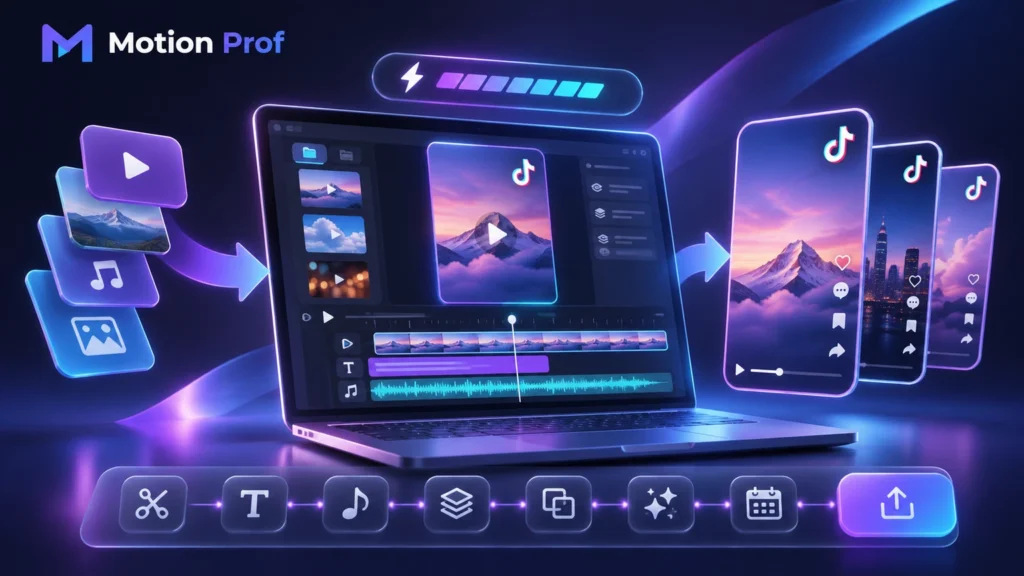
What Are the Best TikTok Video Maker Tools?
The best video maker for TikTok depends on your starting materials, creative experience, and production goals. Five options offer different approaches to video creation.
CapCut — Best for Template-Based TikTok Creation
CapCut provides customizable templates, automatic captions, transitions, and AI-assisted editing tools.
Creators can replace template media with their own photos or footage, making it useful for producing frequent social content.
Canva — Best for Branded TikTok Video Templates
Canva combines customizable video templates, graphics, animations, and brand elements.
Its visual design tools are particularly useful for businesses creating promotional content with consistent colors, typography, and messaging.
Adobe Express — Best for Quick Marketing Videos
Adobe Express offers TikTok templates, stock media, animated elements, and accessible video editing tools.
Its resizing and collaboration features help marketing teams create content for multiple platforms without rebuilding every project.
TikTok Symphony Creative Studio — Best for AI Video Generation
TikTok Symphony Creative Studio generates videos from text descriptions, static images, and visual references.
Its AI capabilities help eligible TikTok for Business users create advertising assets and platform-oriented content without traditional filming.
VEED — Best for Browser-Based Video Creation
VEED provides online video creation tools, automated subtitles, AI video generation, and customizable graphics.
Users can create videos from scripts, upload existing media, or combine both approaches within a browser-based workflow.
| Tool |
Best For |
Main Advantage |
| CapCut | Social creators | Templates and quick editing |
| Canva | Businesses | Branded video designs |
| Adobe Express | Marketing teams | Design and collaboration |
| TikTok Symphony | AI campaigns | Text-to-video generation |
| VEED | Online creators | Browser-based AI tools |
What Features Should You Look for in a TikTok Video Maker?
A reliable TikTok video creator should combine ease of use, creative flexibility, and suitable export capabilities.
Ready-Made Templates and Brand Customization
Look for editable templates, customizable typography, reusable colors, and branded graphics that simplify production.
AI Script Generation, Captions, and Voiceovers
AI-assisted scripts, automatic captions, and voiceovers can accelerate production. However, generated information and narration should be reviewed before publication.
Media Libraries, Export Quality, and Collaboration
Consider stock media availability, export resolutions, licensing terms, and team collaboration features.
These capabilities become particularly important when managing recurring marketing projects.
Once the essential features are clear, building a structured creation workflow becomes easier.
How to Make a TikTok Video: A Step-by-Step Workflow
Creating a TikTok video involves identifying a relevant topic, preparing the message, selecting visual assets, and reviewing the finished content.
Step 1: Find a Relevant Content Idea and Define Your Goal
Identify your audience and choose one clear message. TikTok Creative Center can help research trending topics and relevant hashtags.
Step 2: Write a Short Script and Plan the Visuals
Organize your script into an opening hook, supporting information, and conclusion.
TikTok’s Creative Codes guide recommends this structure for advertising content.
Step 3: Choose Templates, Upload Assets, or Generate Video
Select a template, upload original footage, or generate visuals using an AI video maker.
Step 4: Add Captions, Voiceovers, and Brand Elements
Include readable captions, suitable narration, and consistent brand elements without overwhelming the main message.
Step 5: Review, Export, and Publish Your TikTok
Verify factual accuracy, caption timing, sound quality, licensing, and visual composition before publishing.
This workflow can become even faster when AI tools generate suitable visual assets.
Can AI TikTok Video Makers Create Videos from Text and Images?
Yes. AI-powered TikTok video makers can transform written descriptions, images, and reference materials into video clips.
Text-to-Video and Image-to-Video Generation
Text-to-video tools generate scenes from prompts, while image-to-video features animate existing pictures.
The results depend on the model, prompt quality, and available settings.
Creating Product Videos With AI
Businesses can use product images and descriptions to develop promotional visuals.
TikTok Symphony supports AI-generated advertising content, although generated results should be checked for accuracy and misleading representations.
AI generation offers flexibility, but creators and businesses often have different production priorities.
Which TikTok Video Maker Is Best for Creators and Businesses?
The ideal video creator for TikTok depends on content volume, branding requirements, and technical experience.
Best TikTok Video Creator for Individual Creators
CapCut and VEED offer accessible workflows for creating frequent social videos, adding captions, and combining different media formats.
Best TikTok Video Maker for Brands and Marketing Teams
Canva and Adobe Express provide tools for consistent branding, reusable templates, and collaborative production.
TikTok Symphony is particularly relevant to marketers exploring AI-generated advertising assets.
After identifying the appropriate tools, pricing becomes an important consideration.
Free vs. Paid TikTok Video Makers: Which Offers Better Value?
Free TikTok video makers can support basic production, while paid plans often provide additional creative assets and export capabilities.
What Can You Create with a Free TikTok Video Maker?
Free plans may include templates, basic editing, captions, and limited AI features.
However, restrictions vary between platforms.
When Are Paid Templates and AI Features Worth It?
Paid tools become valuable when advanced features improve production efficiency or meet specific requirements.
For example, VEED’s free exports include a watermark, while paid plans remove it and offer additional export capabilities.
Before purchasing, compare feature limitations with your expected production volume.
How to Prepare TikTok Videos for Publishing?
TikTok-ready videos require appropriate formatting, clear audio, and compliance with relevant content policies.
Vertical Formats, Safe Zones, and Video Quality
Use a 9:16 vertical format for full-screen videos. Keep important text away from interface controls and check the final composition on mobile devices.
Music Rights and AI-Generated Content Disclosure
Commercial content should use TikTok’s Commercial Music Library or appropriately licensed audio.
TikTok also requires labeling realistic AI-generated content and restricts misleading synthetic media.
With publishing requirements addressed, production can be organized for greater consistency.
How to Scale TikTok Video Creation Without Losing Quality?
Scaling TikTok production requires reusable resources, organized workflows, and consistent quality checks.
Build Reusable Templates and Content Libraries
Create folders for approved scripts, brand assets, templates, music, and visual materials.
Reusable resources help reduce preparation time while maintaining brand consistency.
Batch-Produce Videos and Improve Your Workflow
Plan several videos around related topics and prepare their assets together.
Use TikTok Creative Center to research relevant trends, then adapt ideas to your audience rather than copying existing content.
A scalable process should preserve creativity while making production easier to manage.
Conclusion — Create TikTok Videos Faster with the Right Tools
The right TikTok video maker simplifies production through customizable templates, AI generation, and efficient creative workflows.
Whether you’re creating personal videos or branded campaigns, choose tools that match your content goals and budget.
For professional video production beyond automated templates, explore MotionProf for video editing and motion graphics solutions.
References
- TikTok for Business. (2023). Creative Codes: Six Secrets to Decode Your Brand’s Creative Potential (PDF).
- TikTok for Business. (2026). How to Generate Videos With Symphony Creative Studio
- CapCut. (2026). How to Use and Export Templates in CapCut.
- Canva. Free Online TikTok Video Editor.
- Adobe. TikTok Video Maker — Adobe Express.
FAQ
What Is the Best Free TikTok Video Maker?
CapCut and Canva are accessible starting points, while TikTok Symphony offers AI-powered creation for eligible business users.
Can I Make TikTok Videos Without Filming Myself?
Yes. Templates, stock media, animations, and AI-generated visuals allow creators to produce videos without recording themselves.
Can AI Generate TikTok Videos from a Script?
Yes. Tools such as TikTok Symphony and VEED can generate video content from written descriptions or scripts.
Is CapCut Better Than Canva for Making TikTok Videos?
CapCut suits editing-focused workflows, while Canva is particularly useful for branded templates and visual design.
Can I Create TikTok-Style Mockup Videos?
Yes. A TikTok-style mockup maker can create fictional interface demonstrations. Clearly label simulations and avoid presenting fabricated interactions as genuine.