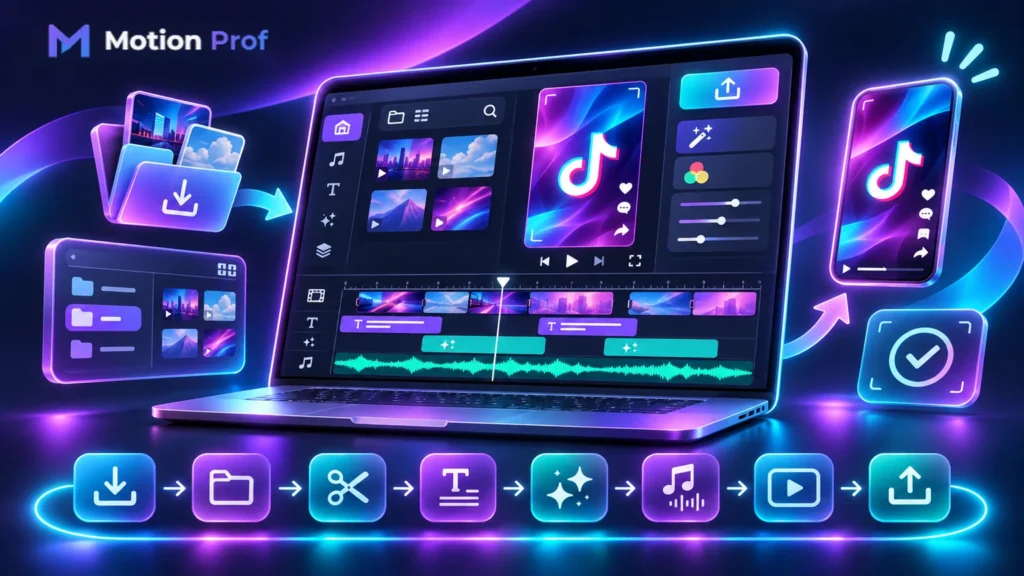
Choosing the right TikTok editing software can simplify video production, improve creative control, and support consistent publishing. However, not every editing program offers the same features, pricing, or workflow efficiency.
From CapCut Desktop to Adobe Premiere and DaVinci Resolve, creators have several options for producing TikTok-ready content.
This guide compares five editing tools, explains their features and costs, and helps creators, brands, and agencies choose software that matches their production needs.
What Is TikTok Editing Software and Who Needs It?
TikTok editing software allows users to trim footage, arrange clips, add captions, refine audio, and export videos optimized for TikTok.
Desktop Editing Software vs. Mobile TikTok Editing Apps
Mobile apps prioritize convenience and quick publishing, while desktop software generally provides greater timeline control, file organization, and advanced editing capabilities.
Professional video editing software for TikTok is particularly useful for content creators, marketing teams, and agencies managing complex projects or recurring video production.
Understanding these differences helps identify which editing programs best suit your requirements.
What Is the Best TikTok Editing Software? 5 Tools Compar
The best TikTok video editing software depends on your experience, production volume, and creative requirements. CapCut, Adobe Premiere, DaVinci Resolve, Filmora, and Descript offer different advantages.
CapCut Desktop: Best for Fast TikTok Production
CapCut Desktop combines timeline editing, templates, auto captions, and AI-powered features such as Auto Reframe.
It’s suitable for creators producing frequent social videos without requiring extensive technical expertise. Some features depend on subscription availability.
Adobe Premiere: Best for Professional Video Editing
Adobe Premiere provides detailed timeline control, text-based editing, motion graphics capabilities, and audio tools.
Its integration with Adobe applications and Frame.io makes it useful for professional editors managing complex projects and collaborative production.
DaVinci Resolve: Best for Advanced Color and Audio Editing
DaVinci Resolve combines editing, color correction, Fusion motion graphics, and Fairlight audio production.
It offers a capable free version and a paid Studio edition with additional professional features.
Filmora: Best for Accessible Desktop Editing
Filmora offers multi-track editing, transitions, captions, creative assets, and AI-assisted tools.
Its accessible interface makes it suitable for creators seeking more control than basic mobile applications without adopting a highly complex workflow.
Descript: Best for Transcript-Based Editing
Descript allows users to edit recordings by modifying their transcripts.
Its automated transcription, filler-word removal, and clip-generation tools are particularly useful for podcasts, interviews, and educational videos.
| Software | Best For | Main Advantage |
| CapCut Desktop | Frequent social content | Fast editing and AI tools |
| Adobe Premiere | Professional production | Advanced timeline control |
| DaVinci Resolve | Technical editing | Color, audio, and effects |
| Filmora | Growing creators | Accessible desktop workflow |
| Descript | Talking-head content | Transcript-based editing |
Comparing software is useful, but selecting the right features is equally important.
What Features Should You Look for in TikTok Editing Software?
Reliable editing software for TikTok should provide the controls needed to produce consistent, high-quality videos efficiently.
Multi-Track Timeline, Transitions, and Motion Graphics
Multi-track editing allows editors to manage footage, audio, captions, and graphics independently.
Choose software that supports precise trimming, reusable effects, and suitable animation controls.
Auto Captions, AI Editing, and Audio Enhancement
Automatic captions, transcription, noise reduction, and AI-assisted editing can reduce repetitive work.
However, editing decisions should prioritize visual clarity. Research published in 2026 found that shorter, visually simpler scenes improved viewers’ attentional synchrony in the video advertisements studied.
Export Options, Collaboration, and Project Management
Look for vertical export presets, project templates, organized media libraries, and collaboration features.
These capabilities become especially valuable when producing multiple videos or coordinating team feedback.
Once essential features are identified, software costs become easier to evaluate.
How Much Does TikTok Editing Software Cost?
The cost of TikTok editing software varies by subscription, licensing model, AI usage limits, and included features.
Free vs. Paid TikTok Video Editing Software
DaVinci Resolve provides a free version, while CapCut and Descript offer free access with feature limitations. Adobe Premiere requires a subscription beyond its trial.
Subscriptions, One-Time Licenses, and AI Credits
Adobe uses subscription pricing, while DaVinci Resolve Studio offers a paid license. Filmora provides subscription and perpetual-license options.
Some AI features require credits or higher subscription tiers.
Hidden Costs: Watermarks, Storage, and Premium Assets
Consider watermark restrictions, cloud storage, licensed assets, and export limitations.
For example, Filmora’s free trial generally adds a watermark, while Descript’s free plan also restricts export capabilities.
Understanding total costs helps you select software that supports a sustainable editing workflow.
How to Build an Efficient TikTok Video Editing Workflow
An effective editing workflow organizes production into repeatable stages, reducing unnecessary revisions and maintaining consistency.
Step 1: Organize Footage and Create a Project Template
Import recordings, organize files, and establish a reusable vertical-video template with consistent naming and branding.
Step 2: Build the Rough Cut and Refine the Story
Select relevant footage, remove repetition, and arrange scenes into a clear narrative.
For interviews or podcasts, transcript-based editing can simplify initial clip selection.
Step 3: Add Captions, Graphics, and Audio
Introduce accurate subtitles, relevant graphics, and balanced audio.
Avoid unnecessary visual complexity that competes with the primary message.
Step 4: Review, Export, and Reuse Project Assets
Review captions, audio, framing, and transitions before exporting.
Save reusable templates and approved assets to accelerate future production.
A structured workflow also requires export settings that meet TikTok’s technical expectations.
What Export Settings Should TikTok Editing Software Support?
Professional TikTok video editor software should support vertical video exports, readable graphics, and appropriate audio formats.
Vertical Video Resolution, Aspect Ratio, and File Formats
Use a 9:16 aspect ratio for full-screen TikTok content. Exporting at 1080 × 1920 pixels is a practical choice.
MP4 and MOV are supported formats for relevant TikTok advertising placements.
TikTok Safe Zones and Commercial Music Licensing
Keep captions and important graphics clear of interface elements.
Businesses should use TikTok’s Commercial Music Library or appropriately licensed audio for commercial content.
Technical compatibility matters, but different users also require different editing capabilities.
Which TikTok Editing Software Is Best for Creators, Teams, and Agencies?
The ideal TikTok edit program depends on production complexity, available resources, and collaboration requirements.
Best Software for Independent Content Creators
CapCut Desktop and Filmora are practical options for creators prioritizing speed and accessible editing tools.
Description is particularly useful for creators producing dialogue-heavy content.
Best Software for Marketing Teams and Professional Agencies
Adobe Premiere and DaVinci Resolve offer advanced capabilities for demanding projects.
Teams should also evaluate file management, review tools, licensing, and collaborative workflows before choosing.
For more demanding production, automation and professional editing support may provide additional value.
AI TikTok Editing Software vs. Professional Video Editors
AI-powered editing tools can automate repetitive tasks, but they do not eliminate the need for creative decisions.
When AI Editing Tools Save Time
AI can assist with transcription, captions, clip selection, audio cleanup, and video reframing.
These features are valuable when repurposing long recordings or producing recurring content.
When Hiring a Professional Editor Makes Sense
Professional editors are useful for complex storytelling, custom motion graphics, brand-sensitive projects, and advanced post-production.
Human review remains important for ensuring context, accuracy, and consistent visual quality.
Understanding these differences helps clarify the final software selection questions.
Conclusion: Choose the Right TikTok Editing Software for Your Workflow
Choosing the right TikTok editing software requires balancing creative control, workflow efficiency, pricing, and technical capabilities.
Whether you prefer CapCut, Adobe Premiere, DaVinci Resolve, Filmora, or Descript, prioritize tools that match your production needs.
For professional video editing and motion graphics support, explore MotionProf and discover solutions tailored to your content goals.
References
- Wals, S., et al. (2026). The Dynamic Effects of Visual Complexity and Scene Cuts on Viewer Attention. Journal of the Academy of Marketing Science, 54, 596–617.
- TikTok for Business. Creative Codes: Six Principles for Creating Effective Ads.
- TikTok for Business. Video Advertising Guide.
- TikTok for Business. Commercial Music Library.
FAQ
What Is the Best Free TikTok Editing Software for PC?
DaVinci Resolve offers extensive free editing capabilities, while CapCut Desktop provides accessible tools for social video production.
Is CapCut Desktop Better Than Adobe Premiere for TikTok?
CapCut prioritizes quick social editing, while Adobe Premiere provides greater control for complex professional projects.
Can I Edit TikTok Videos with DaVinci Resolve?
Yes. DaVinci Resolve supports vertical timelines, editing, color correction, audio production, and TikTok-ready exports.
Can AI Automatically Turn Long Videos into TikTok Clips?
Yes. Tools such as Descript can identify and generate shorter clips from longer recordings, although manual review remains important.
Do I Need Professional Software to Edit TikTok Videos?
No. Basic applications can produce effective TikTok content. Professional software becomes useful when projects require advanced editing or production management.